Mobile App Now Available

77ja App — Install on Android and iOS and enjoy gaming from anywhere

With the 77ja official mobile app, enjoy Sports Betting, Casino, and Bingo anytime — at home or on the go. Fast loading, smooth performance.

77ja
10 MB App Size
Android 5+ Supported Version
iOS 12+ Supported Version
Free No Download Charge

Install the 77ja App on Your Device

The 77ja app is completely free to download on both Android and iOS. Follow the instructions below to get started.

Android App

The 77ja app works on all Android phones, including Samsung, Xiaomi, OPPO, and Realme. Even though it's not on Google Play, you can download and install the APK file directly.

Version: Android 5.0+
Size: ~10 MB
Architecture: ARM64
Android APK Download

IOS App

The 77ja app is also available for iPhone and iPad users. To install on iOS, open the site in your mobile browser and use the "Add to Home Screen" option.

Version: iOS 12+
Size: ~8 MB
Device: iPhone / iPad
View iOS Guide

Please Note: To install the Android APK, go to your phone's Settings and enable "Unknown Sources" or "Install Unknown Apps". Once installation is complete, you can turn it off again.

77ja

Why playing on the app beats the browser

You might wonder — you can already play 77ja from the browser, so why bother with a separate app? It's a fair question. But once you try the app, the difference speaks for itself.

The 77ja app is built specifically for mobile. Every button, every scroll animation — everything is designed with small screens in mind. Things that can feel cramped or hard to tap in a browser are much easier to use in the app.

The app also supports push notifications — new promotions, pre-match reminders, and instant updates after a big win are delivered directly to your phone. No need to keep checking the browser.

Tip: Live betting in the 77ja app features auto-refresh, so odds update in real time without needing to reload the page — a big advantage when betting on live matches.

Features of the 77ja App That Will Impress You

The app is not just a mobile version of the website — it's an entirely separate, more advanced experience.

Fast Loading

The app is built on optimized code, so it loads quickly even on weak networks. Smooth performance even on a 3G connection.

Push Notifications

Get new bonus alerts, pre-match reminders, and withdrawal updates delivered directly to your phone.

Biometric Login

Log in in just one second using your fingerprint or Face ID. No more typing out your password.

Offline Caching

If the connection drops briefly, the app can still display the last loaded content and refreshes automatically once the connection is restored.

Dark Mode Support

The 77ja app automatically switches to dark theme based on your phone's system dark mode setting — easier on the eyes at night.

Full Bengali UI

Every menu, button, and instruction in the app is in Bengali. No knowledge of English required.

Steps to Install the 77ja App on Android

Installing the APK for the first time might feel a bit new, but the whole process takes just 2–3 minutes.

1
Go to Download Page

Start downloading the Android APK file from 77ja's download page. The file is typically saved to your phone's "Downloads" folder.

2
Enable Unknown Sources

Go to Settings → Security (or Privacy) → Install Unknown Apps and grant permission to your browser or file manager.

3
Open the APK File

Open your file manager and tap the downloaded 77ja APK file. When the installation prompt appears, tap the "Install" button.

4
Installation Complete & Login

Once installation is complete, the 77ja icon will appear on your home screen. Open the app, log in, and start playing.

App Specifications

The 77ja app runs smoothly even on phones with limited storage and low RAM.

Topic Android IOS
Minimum OS Android 5.0 IOS 12.0
App Size ~10 MB ~8 MB
RAM Required 1 GB+ 1 GB+
Storage 20 MB Free 15 MB Free
Download Method Direct APK PWA / Web App
Updates Auto / Manual Automatic
Biometric Login Supported Supported
77ja

What You Can Play on the 77ja App

The first thing you'll notice when you open the 77ja app is a well-organized home screen — Sports, Casino, Bingo, and Live Dealer sections are each laid out clearly. Getting to where you want to go takes just one tap.

The Sports Betting section on 77ja covers cricket, football, tennis, basketball, and more than 20 other sports. Special markets are available for Bangladesh and India matches, with real-time odds in live betting.

The Casino section features slots, roulette, blackjack, and baccarat. The Live Dealer rooms let you play with real dealers — and the experience is especially smooth in the app because video streams are optimized for it. The Bingo section is also fully available in the app.

Deposits and withdrawals can be made directly within the app. You can be redirected straight from the 77ja app to bKash, Nagad, or Rocket — no need to open a separate browser.

77ja also stands out for customer support. A live chat button is built right into the app — so you can reach the support team in seconds whenever you need help. Bengali-language support is available, which is especially helpful for new users.

77ja takes no shortcuts when it comes to security. The app uses SSL/TLS encryption to keep all your data protected. It also features multi-device login detection and automatic alerts for any suspicious activity.

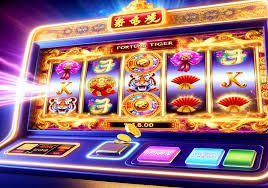
What You Get in the App

  • Sports Betting (Live + Pre-Match)
  • Casino & Slot Games
  • Live Dealer Room
  • Bingo Games
  • Deposit & Withdrawal
  • Promotions & Bonuses
  • Live Chat Support
  • Transaction History

App Rating

4.7
★★★★★
Based on user reviews
5★
72%
4★
19%
3★
6%
2★
2%
1★
1%
77ja

How to Add the 77ja App on iPhone

Due to Apple's guidelines, APKs cannot be installed directly outside the App Store. However, 77ja supports PWA (Progressive Web App), meaning you can add the web app as a shortcut to your home screen — and it looks and feels just like a native app.

1
Open 77ja.onl in Safari
On iPhone, you must use Safari — not any other browser. The "Add to Home Screen" option only works in Safari.
2
Tap the Share Button
Tap the Share icon (an upward-pointing arrow in a square) at the bottom center of your screen.
3
Select "Add to Home Screen"
Scroll through the Share menu to find the "Add to Home Screen" option, tap it, then tap the "Add" button.
4
Open from Home Screen
The 77ja icon will now appear on your home screen. Tap it and it will open in fullscreen, just like a native app.

Frequently Asked Questions About the 77ja App

Here are answers to the most common questions about downloading and using the app.

No, the 77ja app is completely free to download. Whether it's the Android APK or iOS PWA, there's no charge for either. There's also no separate subscription fee to use the app.

The 77ja app works on Android 5.0 and above. Most Android phones released after 2015 can install and run it without any issues.

Yes, the 77ja app includes every feature available on the website — Sports Betting, casino, bingo, deposits, withdrawals, promotions, and more. You also get app-exclusive perks like push notifications and biometric login.

Downloading from 77ja's official download page is completely safe. The APK file is digitally signed and free of malware. Avoid downloading from any third-party sites.

When a new version is available, you'll receive an in-app notification when you open the app. On Android, you can download the new APK directly from there to update. iOS PWA updates automatically.

Per 77ja's policy, each user is allowed only one account. Managing multiple accounts from the same device is prohibited and may result in account suspension.

Download the 77ja App and Start Playing Today

Register, install the app, and enjoy the best 77ja gaming experience from anywhere.

বাংলা